KDE Plasma
How to install the missing X11 session
Section titled “How to install the missing X11 session”After KDE decided to split their development into multiple packages, the X11 session was removed from the default installation.
sudo pacman -S plasma-x11-session kwin-x11Upon completion X11 is listed as an option during login screen.
How to install the missing xorg-server
Section titled “How to install the missing xorg-server”As of the 26.01 version of CachyOS installer the xorg-server is no longer installed and neither plasma-x11-session nor kwin-x11 treat xorg-server as a dependency. As a result failure to install Xorg server & associated components manually will result in a black screen during login.
sudo pacman -S xorg-serverHow can I get the same look as the one shown in the KDE Screenshots, named as “Emerald”?
Section titled “How can I get the same look as the one shown in the KDE Screenshots, named as “Emerald”?”- It’s a combination of the Emerald Theme + Qogir Icon Theme which are not installed by default.
-
Install both with the following command sudo pacman -S cachyos-emerald-kde-theme-git qogir-icon-theme
Appearance & Style - Colors & Themes -
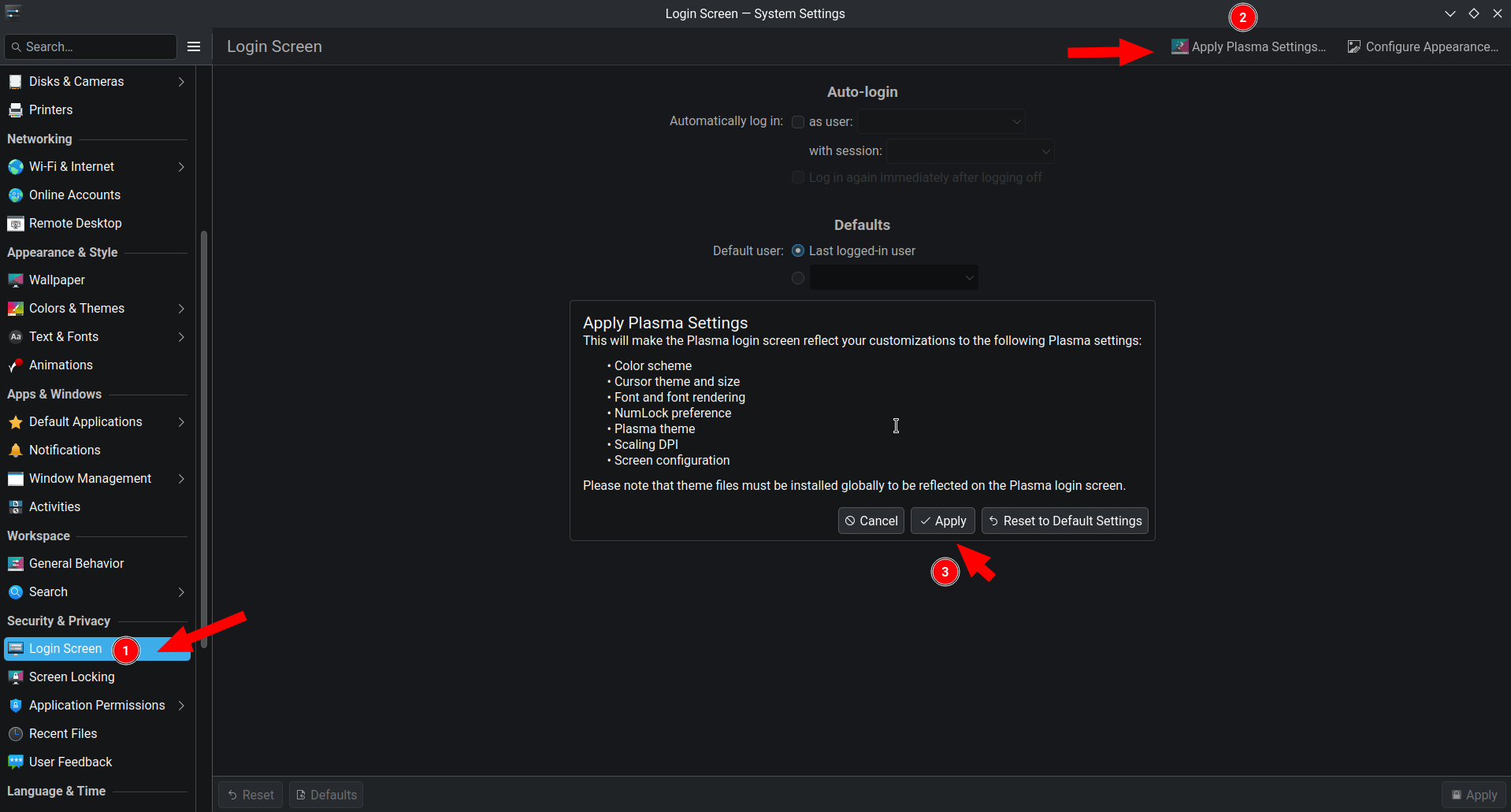
KDE’s Login Screen does not mirror my desktop look, how can I fix that?
Section titled “KDE’s Login Screen does not mirror my desktop look, how can I fix that?”In order to mirror the desktop on the login screen, follow the screenshot below: